Complete professional reports
from a single audio file.

Dictate live from your PC, record through a phone QR code, or upload up to 100 audio files.

◉

PC microphoneWired or wireless

▦

Phone QRNo app to install

≋

Audio filesUp to 100 per batch

01Capture02Transcribe03Edit04Conclude05Audit06Translate07Deliver & export

100Upload a complete batch: BoxScribe turns each audio file into an independent report and applies your templates, rules and reporting style.

BoxScribe is online software for dictation transcription and AI-assisted report drafting. Apply your templates and instructions, then review and approve the final document.

✦

Interpret. Dictate. Continue. BoxScribe prepares the report for your review.

Designed around evidence on interpretive continuity, self-correction and interruptions.
Built for expert-led reporting
✓ Human confirmation✓ Controlled learning✓ Custom rules✓ Traceable workflow
01LIVE

PC microphone

Use any microphone recognized by Windows and Chrome: Philips SpeechMike, USB microphone, headset, Bluetooth device or the computer’s built-in microphone.

  • ✓ Wired and wireless microphones
  • ✓ Real signal meter and 3-second listening test
  • ✓ Manual controls always available
02HANDS-FREE

Voice commands

Start, pause, resume and finish without leaving the images or reaching for the mouse. BoxScribe listens for four exact commands and keeps manual controls as a safety fallback.

  • ✓ BOX INICIAR BOX
  • ✓ BOX PAUSAR BOX · BOX CONTINUAR BOX
  • ✓ BOX FINALIZAR BOX
03MOBILE

Phone recorder through QR

Scan the QR code and turn your phone into a recorder similar to Voice Memos. It opens in the browser, with no installation and no participation from the PC microphone.

  • ✓ Record, pause, listen and edit the waveform
  • ✓ Save a WAV copy or share it from the phone
  • ✓ Send consecutive audio files without scanning again
04BATCH

Saved audio files

Drag M4A, MP3, WAV or AAC files into BoxScribe and process them in their original order, together with live recordings when needed.

  • ✓ Up to 100 audio files and 300 MB per batch
  • ✓ Up to 15 minutes and 15 MB per file
  • ✓ One independent report for each audio file

Your audio remains within reach

A workday audio library for every source.

Below the processing queue, BoxScribe accumulates one player for every accepted audio file—PC microphone, phone QR or uploaded file. Listen again whenever a doubt appears. The local copies remain available in the same browser, PC and account until you select End workday.

✓ Source and sequence always visible✓ Available after reloading the page✓ Deleted together when the workday ends
On the phone, you may also play, rename, save or share the WAV before or after sending it to BoxScribe.
01
◉

Capture

Dictate through a PC microphone, record from a phone QR code, or upload up to 100 audio files.

02
≋

Transcribe

Convert each recording into accurate, editable clinical text.

03
✎

Edit

Apply your templates, terminology, style and reporting instructions.

04
✓

Conclude

Build the conclusion according to your specialty-specific rules.

05
⌕

Audit

Flag omissions, laterality conflicts and internal inconsistencies.

06
文

Translate

Generate the final report in any of the six supported languages.

07
↗

Deliver & export

Confirm and export polished reports in their original order.

✦

BoxScribe is not simply about faster transcription. It is about returning the radiologist’s time to image interpretation.

+55%

reports per hour in one MRI study when transcription was delegated · Strahan, 2010

−82%

direct interruptions after protecting the CT reporting environment · Banziger, 2023

−24%

report-production time with assisted drafts in a pilot study · Acosta, 2024

21→50.3

mammograms per day in a protected, assisted batch workflow · Rahman, 2025

01

Separate

Keep clinical interpretation distinct from transcription, formatting and final document production.

02

Protect

Reduce interruptions and preserve the mental context needed to identify subtle findings.

03

Continue

Dictate the relevant findings and move to the next case while the report is prepared for review.

13

Explore the complete scientific evidenceThe complete studies, their results and links to the original sources now live on a dedicated page.

→
↻

BoxScribe learns from patterns in the corrections you approve. It can suggest reusable rules, but nothing changes silently: you remain in control.

01

Personal rules

Teach BoxScribe how you phrase findings, build conclusions and handle each type of report.

02

Templates that stay yours

Keep techniques, normal structures and specialty-specific reporting logic organized.

03

Learns—with your approval

BoxScribe detects repeated patterns in approved corrections and can turn them into reusable rule suggestions. You decide what it learns.

04

Bilingual by design

Work in English or Spanish and generate reports in six supported languages.

05

Final consistency check

Review missing structures, contradictions and laterality before confirming the report.

06

Batch reporting

Combine live dictation, QR recordings and uploaded files while keeping every source organized and traceable.

≋Generated draft→
✎Your correction→
✦Pattern detected→
✓You decide→
↗Future reports
◎Remember this preference
01

Automatic comparison

Compares the generated draft with the confirmed report to identify meaningful corrections.

02

Patterns, not isolated edits

Distinguishes an initial signal from a repeated preference before proposing a reusable rule.

03

User-specific by design

Preferences stay separated by professional and can be applied according to the user and anatomy.

04

Clinical safeguards

Protects laterality, negations, figures, measurements, levels, grades and diagnoses from unsafe learning.

05

History and idempotency

Keeps an auditable history. Confirming the same report twice does not duplicate learning.

06

Live, meaningful metrics

Counters reflect actual comparisons, pending proposals and active preferences—never placeholder totals.

✓

Additive by design: existing users, reports, rules and settings are preserved. Full interface available in English and Spanish.

⊕

Radiology

Modality and anatomy-specific templates, conclusions and review rules.

01
✦

Medical specialties

Pathology, cardiology, pulmonology and other structured clinical reporting.

02
⌘

Professional services

Any expert workflow that turns dictated findings into a consistent final document.

03
✓
Professional
USD 89.00per month

✓ 1,000 reports per month

  • ✓ All reporting tools included
  • ✓ Templates, rules and controlled learning
  • ✓ Six report languages
  • ✓ No credit packages or top-ups

Personal, non-transferable account. One professional per account.

Pro
USD 149.00per month

✓ 3,000 reports per month

  • ✓ All reporting tools included
  • ✓ Templates, rules and controlled learning
  • ✓ Six report languages
  • ✓ No credit packages or top-ups

Personal, non-transferable account. One professional per account.

Does BoxScribe make diagnoses?+

No. It helps transform dictated findings into a structured draft and flags possible inconsistencies. The professional reviews and confirms every report.

Can it follow my own style?+

Yes. You can configure templates, terminology, conclusion rules, document structure, fonts and review preferences.

Which languages are supported?+

The interface is available in English and Spanish. Audio and final reports can use English, Spanish, French, German, Italian and Portuguese.

Can I dictate directly from the PC?+

Yes. BoxScribe accepts any microphone recognized by Windows and Chrome, including Philips SpeechMike, USB, headset, Bluetooth and built-in microphones. You can use manual controls or the four hands-free BOX voice commands.

How does the phone QR recorder work?+

Select Connect phone in the workday, scan the temporary QR code and allow microphone access. The recorder opens in the phone browser with no app to install. Once linked, the session stays active for consecutive recordings throughout the workday.

Can I listen to the audio again?+

Yes. Every accepted PC-microphone, phone-QR or uploaded audio file is added to the local workday audio library and remains playable in the same browser, PC and account until you select End workday. On the phone, you can also save or share the WAV.

How many files can I upload?+

Up to 100 audio files and 300 MB per batch. Each audio file can be up to 15 minutes and 15 MB.

Does BoxScribe learn from my corrections?+

Yes, in a controlled way. It detects patterns in the corrections you approve and can suggest reusable rules. Nothing is applied silently: you decide what becomes part of your configuration.

What happens when I use all 1,000 reports?+

The allowance resets each paid monthly period without rollover or automatic overage charges. Each delivered report counts once; editing, copying or downloading does not consume more reports.

When does a renewal or plan change start?+

After any already paid periods end. Early payment does not immediately change your current plan or allowance. Contact support before paying if you need an immediate change.

How many reports does each plan include?+

The Pro plan at US$149/month plan includes 3,000 reports for the account holder. The US$89/month plan includes 1,000 reports per paid monthly period. Neither plan permits account sharing.

Can I share my account with other radiologists?+

No. The subscription is individual and non-transferable. Each professional needs a separate account so their templates, rules, learning and report history remain personal and traceable.

Which currency is used?+

Plans are US$89 and US$149 per month. In Colombia, Wompi charges the COP equivalent; confirm the exchange rate and final amount before paying.
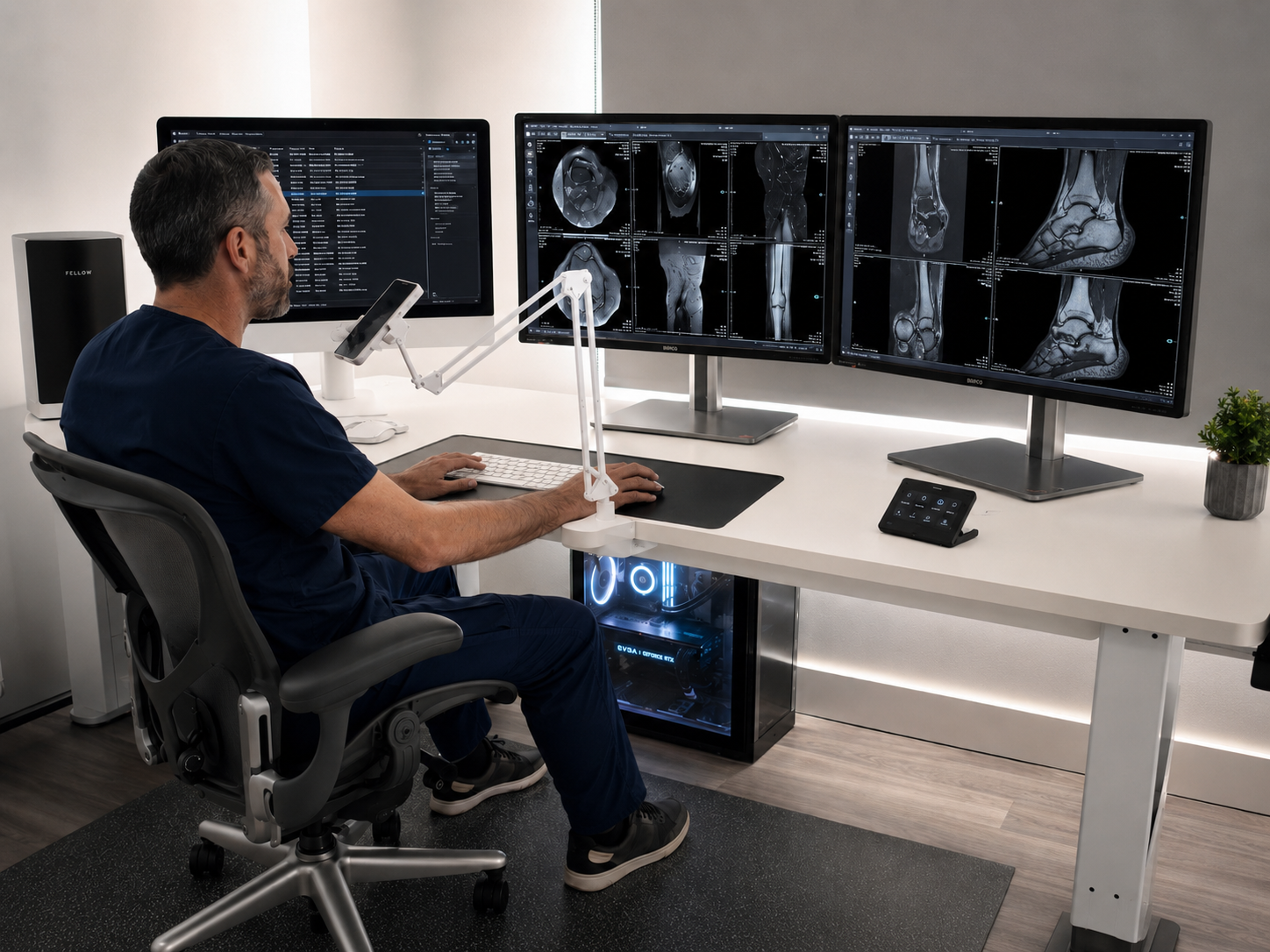
A better reporting day starts here

Shape it. Speak it. Report it.

BoxScribe is available for professional evaluation. Sign in to explore the workflow and prepare your first reporting session.

Try BoxScribe→Sign in to the multi-user professional application.

Before purchasing

Understand the service and its terms.

Plans include individual access to the software. Check the plan allowance, final amount and service period in the application before paying.